A task app for the ADHD brain
One thing.
One step.
Go.
Every task app is exciting for five days. Then it becomes one more thing to maintain, the list gets shameful, and you go back to sticky notes. Firstfoot is built for week two.
Every task app is exciting for five days. Then it becomes one more thing to maintain, the list gets shameful, and you go back to sticky notes. Firstfoot is built for week two.
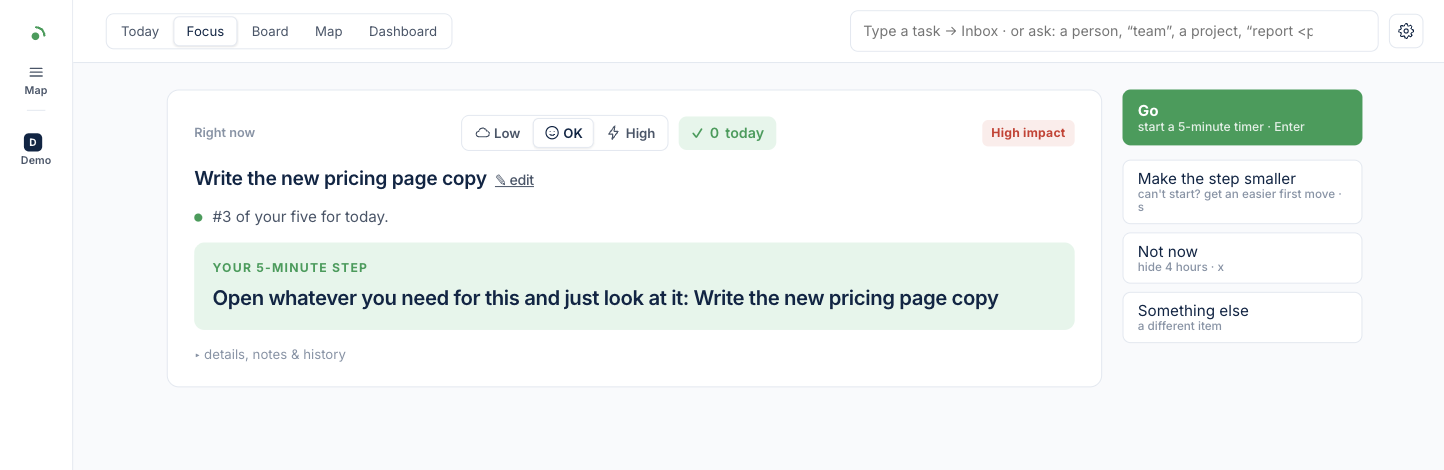
If you have ADHD you already have forty task apps. They all fail the same way and it isn’t a feature they’re missing. It’s the moment the novelty wears off: the list grows, every item is a small accusation, and opening the app starts to feel worse than not opening it. Firstfoot makes one decision for you, what, and leaves you exactly one: now, or not now.
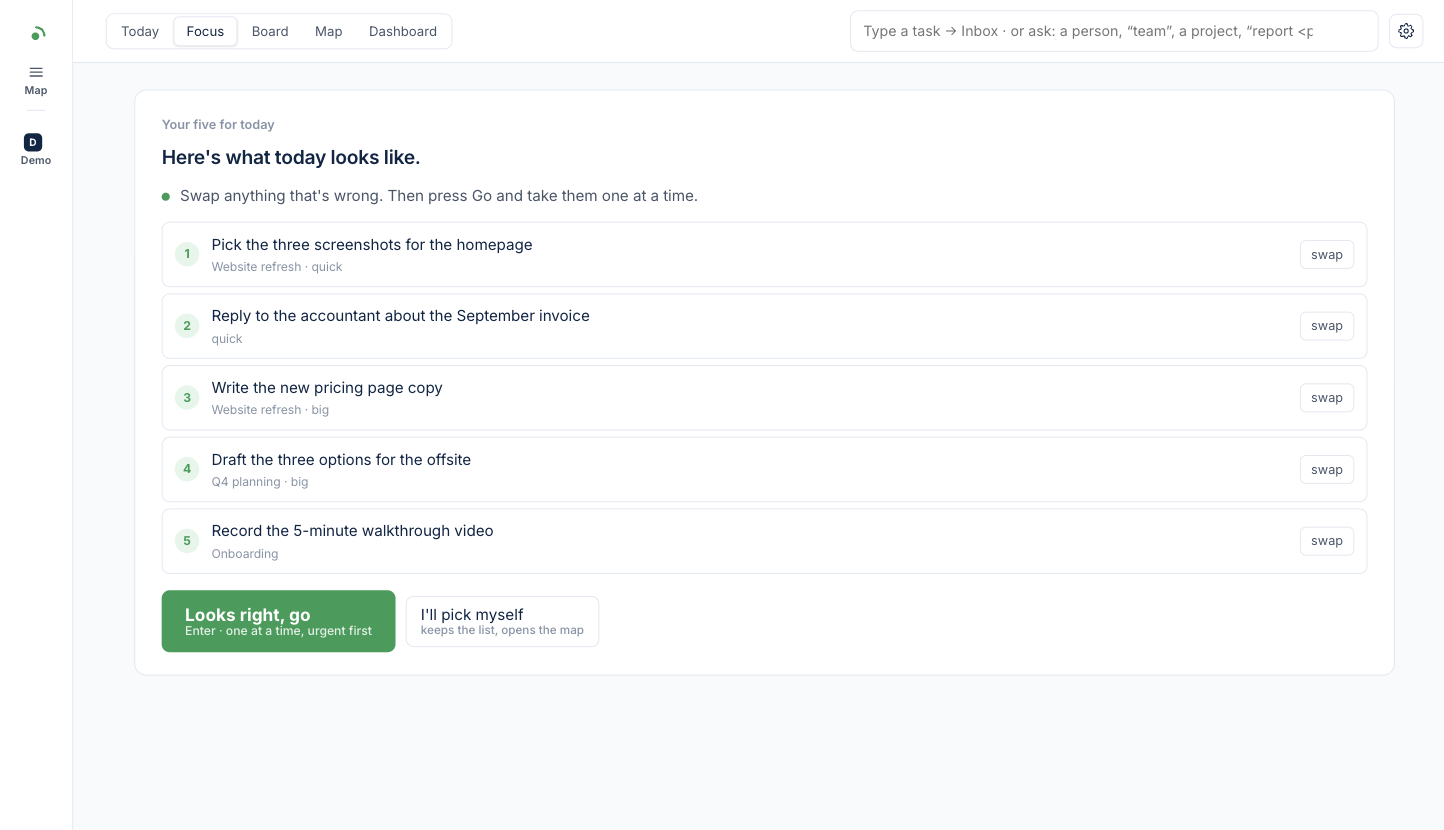
First open of the day shows the five things that matter, already chosen: what’s due, what you promised, what’s big. Swap anything that’s wrong, press Go. That’s the plan.
You never see the whole mountain. The card shows one task and the smallest first move, with a button to make it smaller still. Start the timer and you’ve already won.
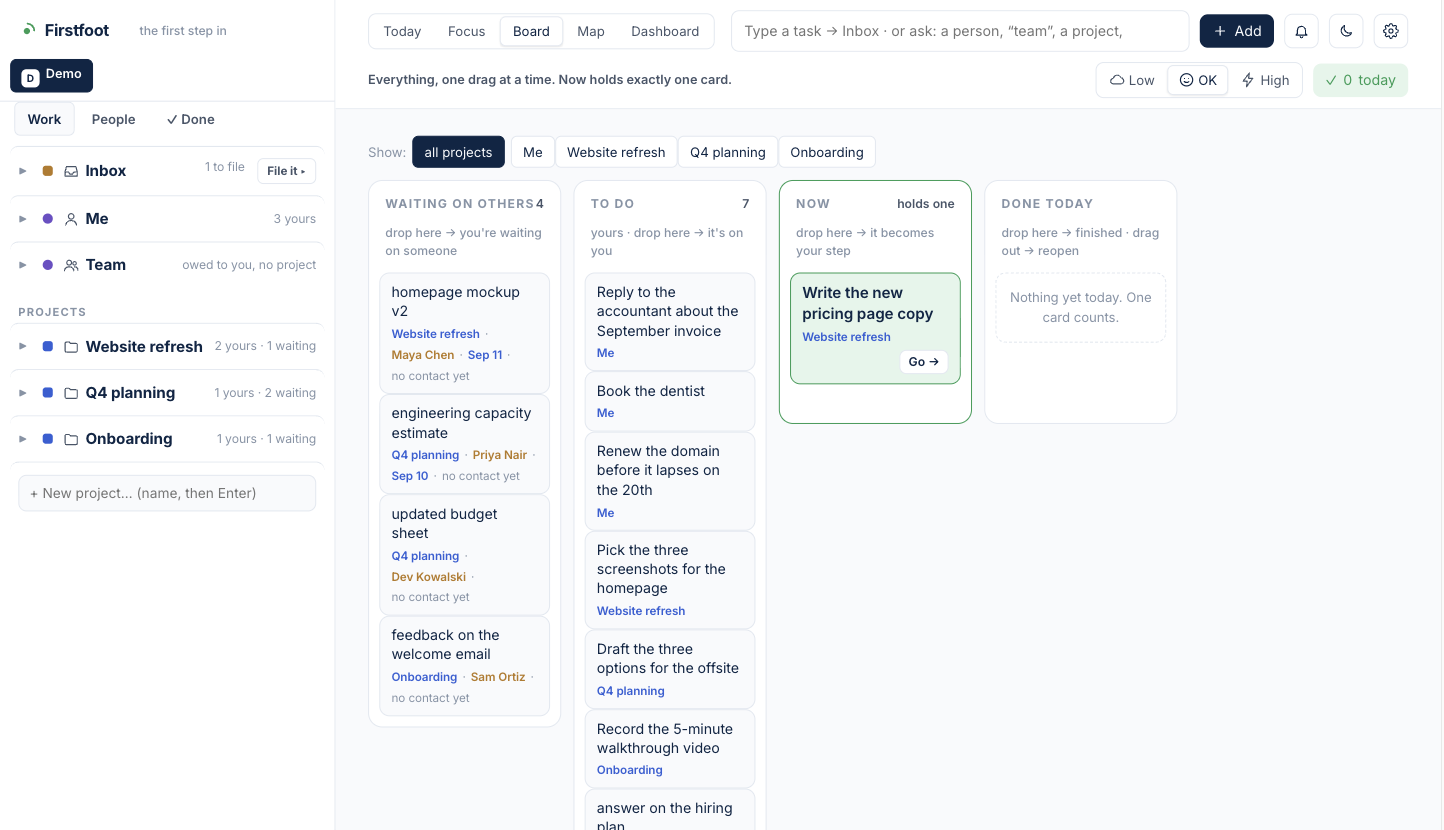
Everything past the one card is opt-in. Projects, people you’re waiting on, a board and a map are all there, all behind one button. A new user sees a box and Go.
“Sam owes: the budget by Friday” becomes a card that knows when to ask, drafts the message, and caps how many follow-ups you send a day. Blockers jump the queue.
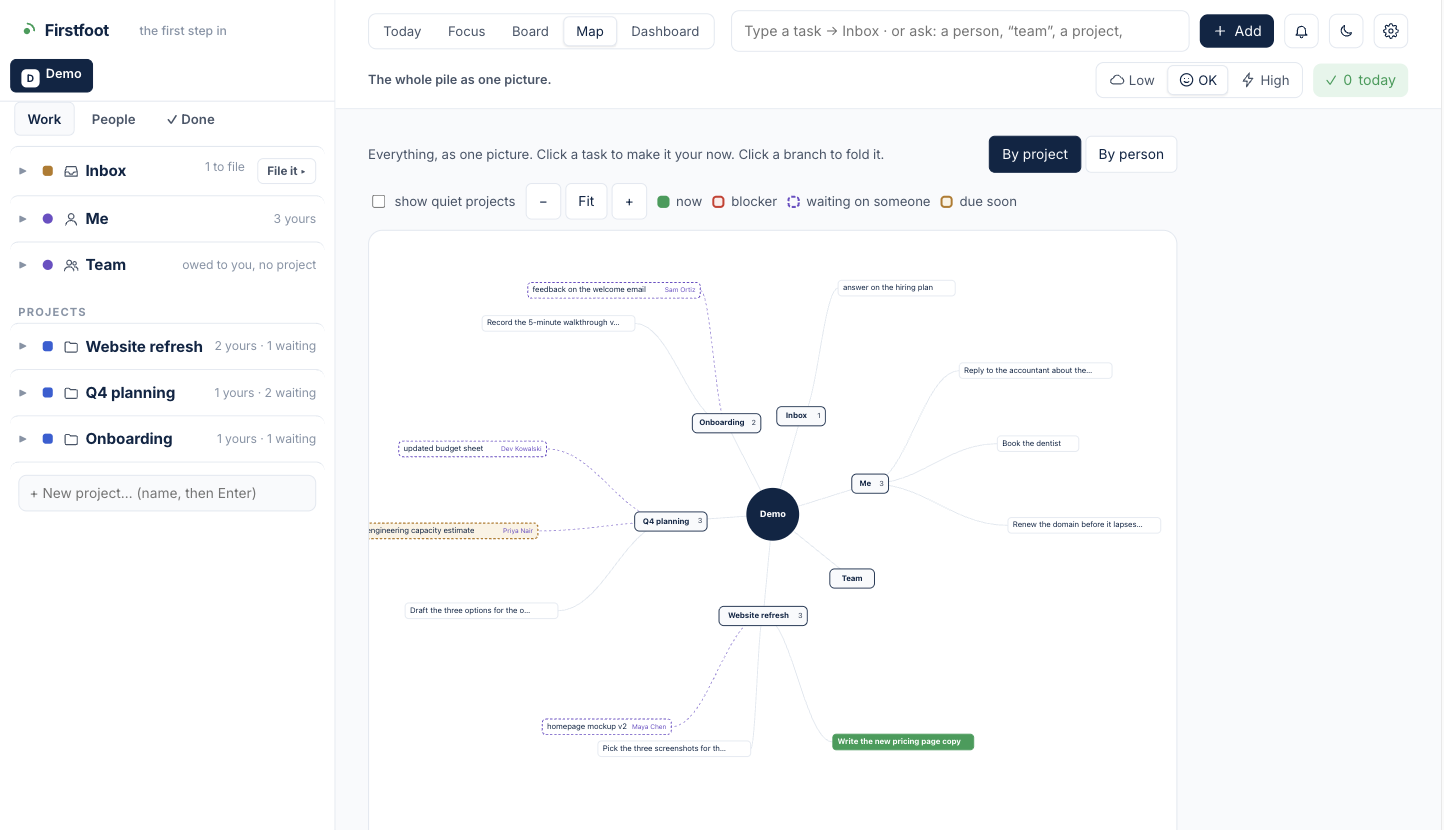
Projects, people, the inbox, all on one map you can fold. Click a task to make it your now. Most days you won’t need it. On the days you do, it’s one key away.
No red walls, no broken streaks, no counts over nine. A bad day is data, not failure. Every reminder is one click from done, because a reminder you can’t act on is noise.
Put off something important and it comes back with an easier first step. It never sinks below the easy stuff. And when you disappear for four days, because you will, the first screen back is a welcome, not a backlog.
Three habits, none of them longer than a minute. That’s the whole method.
Type it and press Enter. It lands in the Inbox. File it later, one at a time, or never; the picker doesn’t care.
The app picks, you press Go, a five-minute timer runs. Done, smaller, not now, or something else. Four buttons, one decision.
Miss a day, or four. The next open is one small thing, not a list. Nothing is overdue at you.
A handful of people are using Firstfoot for real before it goes wider. Builds run on your computer and stay on your computer: no account, no cloud, no tracking.